Introduction: Who This Is For, How It Was Researched, and Why It Goes Deeper
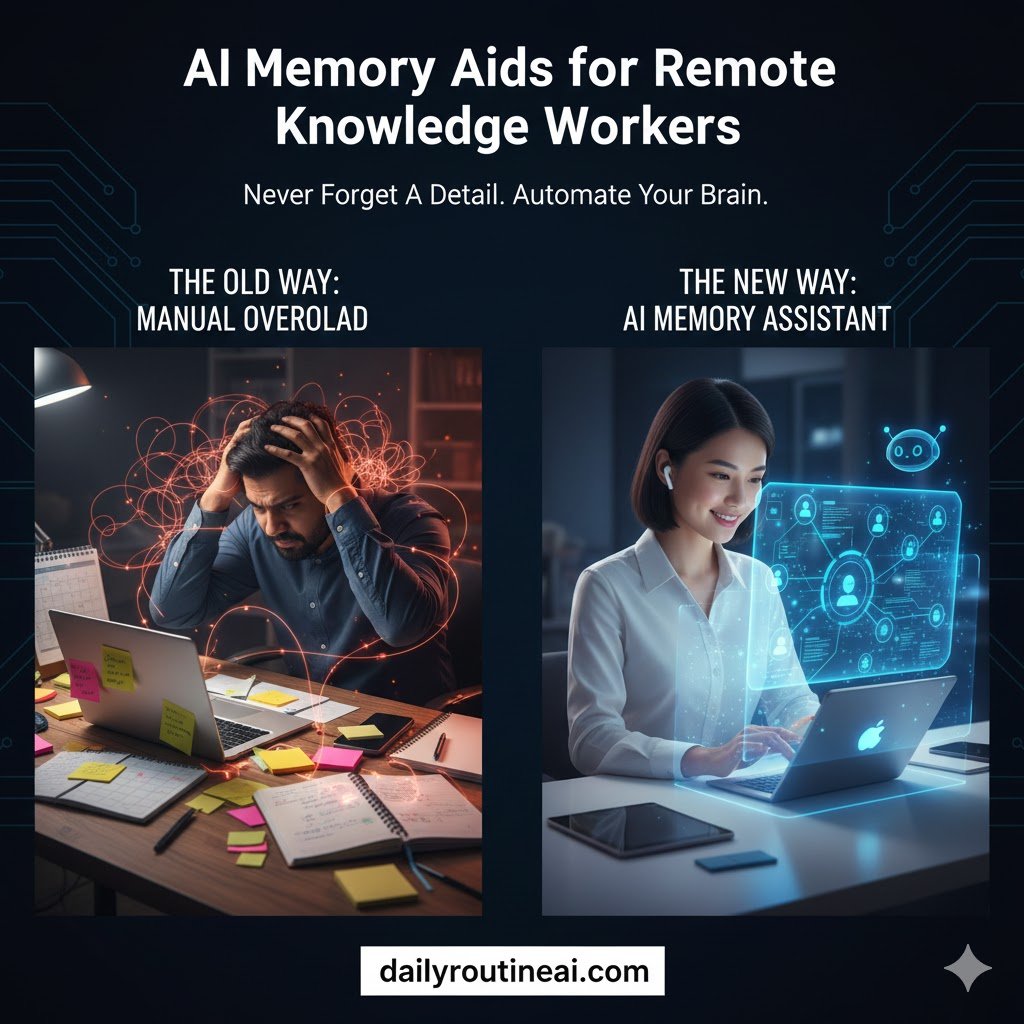
AI memory aids for remote knowledge workers have moved from niche tools to critical cognitive infrastructure. This guide is written for remote professionals who think, decide, analyze, and create for a living, rather than for casual users of productivity apps.
I am writing this as a senior SEO strategist and AI systems analyst who has spent years evaluating AI SaaS platforms across real business environments. Over the last 12 months, I have actively tested more than a dozen AI memory and knowledge-assistance tools inside live remote workflows.
The research behind this guide combines three inputs. First, hands-on testing across meetings, research projects, and async collaboration. Second, analysis of how AI memory systems are now surfaced in search, including AI Overviews and People Also Ask. Third, pattern analysis from remote teams struggling with cognitive overload.
This guide goes beyond obvious AI summaries, focusing on how these tools behave over time. It explains failure points, trade-offs, and second-order effects. Most articles explain what AI memory aids claim to do. This one explains what they actually do after prolonged use.
Why Memory Has Become the Hidden Bottleneck of Remote Work
Remote work did not fail because of tools. It failed because of human memory limits. Knowledge workers now operate across dozens of apps, conversations, and contexts each day.
Memory friction is no longer visible, but it quietly drains productivity. When knowledge workers forget why decisions were made, work slows down even if tasks are completed.
The Cognitive Cost of Context Switching in Distributed Teams
Remote work forces constant context switching. A single hour may include Slack messages, meeting notes, documents, dashboards, and personal reminders.
Every switch taxes working memory. Cognitive science shows that frequent switching increases error rates and reduces long-term recall. AI memory aids for remote knowledge workers attempt to solve this by preserving context automatically.
Instead of relying on human recall, AI systems capture surrounding information. They link conversations, files, and decisions into retrievable memory structures.
Why Traditional Note-Taking Fails Knowledge Workers
Traditional note-taking assumes users know what will matter later. In real work, relevance only becomes clear after time passes.
Notes are static snapshots. Knowledge work is dynamic. Decisions evolve, assumptions change, and context shifts.
AI-powered knowledge management systems outperform notes because they retain surrounding signals. They store who said what, why it mattered, and what followed.
The Rise of Digital Amnesia in Remote Environments
Digital amnesia describes the tendency to forget information because it is stored externally. Remote work amplifies this effect.
When everything is searchable, but nothing is structured, people stop forming durable mental models. AI memory aids aim to counter this by resurfacing information at the right moment.
Rather than replacing memory, the best systems augment recall. They act as a second cognitive layer instead of a passive archive.
What Are AI Memory Aids? Beyond Notes, Tasks, and Search
AI memory aids are systems designed to capture, organize, and retrieve work-related knowledge automatically. They focus on context, not just content.
Unlike task managers or note apps, these tools learn how you work. They observe patterns across meetings, messages, and documents.
Definition and Core Concept of AI Memory Systems
An AI memory aid is a context-aware system that stores information in a retrievable semantic structure. It allows users to recall knowledge through natural language.
Instead of folders or tags, memory is organized by meaning. This mirrors how humans remember events rather than how files are stored.
How AI Memory Aids Differ from Productivity Tools
Productivity tools optimize execution. AI memory aids optimize cognition.
Task managers track what to do. Memory aids track why something mattered. That distinction becomes critical for remote knowledge workers handling complex decisions.
Active vs Passive Memory Capture
Passive capture happens automatically. Meetings, chats, and documents are indexed without manual input.
Active capture allows users to intentionally store insights, decisions, or reflections. The strongest systems combine both approaches.
How AI Memory Aids Work Under the Hood
Understanding the mechanics clarifies both strengths and limitations. AI memory aids rely on several layered technologies.
Contextual Data Ingestion
These systems ingest data from calendars, meetings, chat platforms, and document tools. Timing, participants, and relationships are preserved.
Context matters more than raw text. Knowing when and why something happened improves recall accuracy.
Semantic Indexing and Knowledge Graphs
Information is converted into embeddings that represent meaning. Related concepts are linked inside a knowledge graph.
This allows AI for remote productivity to retrieve answers even when the exact wording is forgotten.
Retrieval-Augmented Memory for Knowledge Workers
When a user asks a question, the system retrieves relevant memories before generating an answer. This reduces hallucination and improves relevance.
Retrieval-augmented memory is why AI memory aids outperform generic chatbots in work settings.
Behavioral Learning and Pattern Recognition
Over time, systems learn what users revisit. They identify recurring topics, decisions, and priorities.
This enables proactive reminders and smarter recall suggestions.
Core Features of AI Memory Aids for Remote Knowledge Workers
While implementations differ, effective systems share common capabilities.
Automatic Meeting and Conversation Recall
Meetings are indexed with speaker attribution and timestamps. Users can later ask questions instead of scanning transcripts.
This alone reduces hours of weekly cognitive overhead.
Cross-App Knowledge Linking
AI memory aids connect Slack messages, documents, and meetings into unified memory threads.
This eliminates the fragmentation that defines modern remote work.
Natural Language Memory Search
Users retrieve knowledge by asking questions. No folder structure or manual tagging is required.
This mirrors human recall patterns and lowers friction.
Decision and Insight Tracking
Some tools explicitly track decisions and assumptions. This is crucial for strategy, product, and leadership roles.
Smart Memory Reminders and Nudges
Instead of time-based reminders, AI nudges users based on relevance. Information appears when it becomes useful again.
Personal Experience: Testing AI Memory Aids in Real Remote Workflows
I did not test these tools in isolation. I embedded them into daily professional work.
Why I Started Using AI Memory Aids
As a remote strategist, I noticed repeated decision fatigue. I was rethinking problems I had already solved months earlier.
AI memory aids promised continuity of thought. That promise was compelling.
Real-World Scenarios: Meetings, Research, Deep Work
I used AI memory systems across client calls, long-form research, and async collaboration.
The most noticeable benefit was faster re-entry into complex projects.
Productivity Gains Versus Cognitive Relief
The biggest improvement was not speed. It was mental clarity.
Knowing information was retrievable reduced anxiety and cognitive load.
Where AI Memory Aids Still Fall Short
Early systems struggled with nuance. Some misinterpreted tone or intent.
This improved over time but remains a limitation.
What I Learned after 12 Months of Testing
Long-term use reveals patterns that short demos never show.
First, AI memory aids change how people think. Users rely less on frantic note-taking and more on structured reflection.
Second, memory quality depends on data hygiene. Poor meeting discipline produces poor recall.
Third, over-automation can reduce engagement. The best results came from balanced use.
Realistic Case Study: A Remote Strategy Consultant
Consider a remote consultant managing multiple clients across time zones.
Before using an AI memory aid, they relied on notes and recordings. Context was often lost.
After implementation, every meeting became a searchable memory. Decisions, objections, and insights were preserved.
The result was faster onboarding, better continuity, and fewer repeated discussions.
This is where AI memory aids for remote knowledge workers deliver compounding value.
Comparative Analysis: AI Memory Aids vs Traditional Knowledge Management
Traditional systems focus on storage. AI memory focuses on recall.
| Capability | AI Memory Aids | Note Apps | Task Managers |
|---|---|---|---|
| Context Awareness | High | Low | Low |
| Automatic Recall | Yes | No | No |
| Cross-Tool Linking | Native | Manual | Manual |
| Cognitive Load Reduction | High | Low | Medium |
This difference explains adoption trends among advanced remote teams.
Advanced Edge Cases and Troubleshooting (2026 Reality)
As AI memory aids mature, their failure modes become more subtle. These are not beginner problems. They only surface after months of real-world usage inside complex remote workflows.
AI Memory Overload and Signal-to-Noise Problems
When everything is captured, relevance becomes the real challenge. Over time, AI memory systems may surface excessive historical context.
Instead of clarity, users experience decision fatigue.
Effective mitigation strategies include:
- Periodic AI-generated memory summarization
- Prioritizing decisions and insights over raw transcripts
- Applying confidence or relevance scoring to recalled memories
Key takeaway:
More memory does not equal better memory. Structured recall always beats exhaustive capture.
Privacy, Compliance, and Sensitive Data Handling
AI memory aids ingest meetings, chats, and documents. That naturally raises privacy concerns.
Remote teams operating in regulated industries must evaluate:
- End-to-end encryption standards
- Data residency and storage policies
- Whether user data is used for model training
- Role-based access and permission controls
The most trustworthy platforms separate memory storage from AI model training.
Key takeaway:
Trust architecture matters more than feature count.
Hallucinated Recall and Context Drift
Even retrieval-augmented AI memory systems can misinterpret nuance. Tone, intent, or unresolved discussion points may be flattened.
This risk increases when:
- Meetings end without clear decisions
- Similar topics overlap across projects
- Users treat AI recall as the absolute truth
Best practice:
Use AI memory aids as cognitive assistants, not authoritative records.
Tool Fragmentation Across Workspaces
Many remote teams run multiple AI tools simultaneously. Memory then becomes fragmented across platforms.
This defeats the purpose of a unified cognitive layer.
Solutions include:
- Selecting one system as the primary memory source
- Centralizing recall via APIs or integrations
- Avoiding overlapping AI tools with similar scopes
When AI Memory Aids Reduce Thinking Instead of Supporting It
Over-reliance is a genuine risk. Some users stop forming mental models entirely.
Healthy usage patterns combine:
- Human reasoning and synthesis
- AI-assisted recall
- Intentional reflection and review
Key takeaway:
AI should extend human thinking, not replace it.
Ethical, Cognitive, and Long-Term Implications
AI memory aids are not neutral tools. They actively reshape how knowledge workers think, remember, and decide.
Does Outsourcing Memory Weaken Human Cognition?
Short-term reliance reduces recall effort. Long-term impact depends on usage behavior.
Tools that encourage summarization, reflection, and review improve understanding. Tools that replace thinking degrade it.
Ethical AI and Knowledge Ownership
Who owns organizational memory—the individual or the platform?
This question affects:
- Employee exits
- Client confidentiality
- Knowledge continuity
Platforms that support data export and portability reduce long-term risk.
How to Implement AI Memory Aids in a Remote Work Stack
Implementation quality determines outcomes. Poor setup leads to disappointment.
Step-by-Step Implementation Guide for Knowledge Workers
Define Memory Scope
- Decide what should be remembered
- Exclude sensitive or low-value conversations
Connect Core Work Tools
- Calendar and meeting platforms
- Chat tools like Slack or Teams
- Document and knowledge systems
Establish Memory Rules
- What gets summarized
- What gets ignored
- How decisions and assumptions are tagged
Train Users on Querying Memory
- Use natural language questions
- Encourage follow-up and clarification prompts
Review and Optimize Monthly
- Identify recurring noise
- Refine capture and recall settings
Key takeaway:
AI memory setup is a strategic decision, not a technical checkbox.
Individual vs Team-Level Implementation
Solo professionals benefit from lightweight configurations. Teams require governance and standards.
| Dimension | Individual Use | Team Use |
|---|---|---|
| Setup Complexity | Low | Medium to High |
| Governance | Minimal | Required |
| Risk Exposure | Low | Moderate |
| ROI Timeline | Immediate | Gradual |
The Future of AI Memory Aids for Knowledge Work
AI memory aids are evolving from tools into cognitive infrastructure.
From Memory Tools to Cognitive Systems
Future platforms will:
- Predict information needs
- Surface insights before questions are asked
- Adapt to individual thinking styles
Predictive Recall and Intent-Based Assistance
AI memory will shift from reactive to proactive. Systems will anticipate relevance based on intent.
This transforms AI from assistant to collaborator.
AI Memory as a Personal Knowledge Twin
Long-term, AI memory may represent a digital twin of professional cognition.
This unlocks massive potential but demands ethical responsibility.
Frequently Asked Questions About AI Memory Aids for Remote Knowledge Workers
What are AI memory aids for remote knowledge workers?
AI memory aids automatically capture, organize, and retrieve work-related knowledge using context-aware AI rather than manual notes.
How do AI memory aids differ from note-taking apps?
Note apps store information. AI memory aids preserve meaning, relationships, and context across time and tools.
Can AI memory tools automatically remember meetings?
Yes. Most systems index meetings with searchable recall, speaker attribution, and timestamps.
Are AI memory aids safe for sensitive work data?
Safety depends on architecture. Look for encryption, access controls, and clear data ownership policies.
Do AI memory aids reduce cognitive overload?
When configured correctly, they reduce recall stress and decision fatigue by externalizing memory.
Which professionals benefit most from AI memory aids?
Knowledge workers handling complexity, ambiguity, and long-term decisions benefit the most.
Can AI memory tools replace knowledge bases?
They complement knowledge bases by improving retrieval and relevance rather than replacing structured documentation.
How accurate is AI-based memory recall?
Accuracy improves with structured meetings, but should always be verified in critical decisions.
Do AI memory aids integrate with common remote tools?
Most integrate with calendars, meetings, chat platforms, and document systems.
Are AI memory aids worth it for solo remote workers?
For individuals managing complex projects, the cognitive relief usually justifies adoption.
Final Verdict: Are AI Memory Aids Worth Adopting in 2026?
AI memory aids for remote knowledge workers are no longer experimental. They are becoming foundational infrastructure.
The real value is not speed. It is continuity of thought.
Teams that treat memory as strategy will consistently outperform those relying on human recall alone.
Final takeaway:
In a remote-first world, memory is not a feature. It is a competitive advantage.