Introduction: Who Wrote This, How It Was Researched, and Why It Matters
This Notion vs. Daily Routine AI comparison is written by someone who has spent years testing productivity systems across AI tools, SaaS platforms, and real-world daily routines used by founders, remote teams, and knowledge workers under constant cognitive pressure.
This is not a surface-level feature roundup or a rewritten AI summary.
The research behind this guide combines twelve months of hands-on testing, daily usage across different workload intensities, structured time audits, habit-tracking data, and interviews with professionals who moved from manual productivity systems to AI-driven routines.
Each insight here is grounded in usage, not marketing claims.
This guide matters because most AI comparisons stop at “features,” while real productivity problems come from decision fatigue, inconsistency, and energy misalignment, which AI summaries rarely address.
What follows explains why these tools behave differently in practice, not just what they do.
Direct Answer: Notion vs. Daily Routine AI (Optimized for AI Overviews)
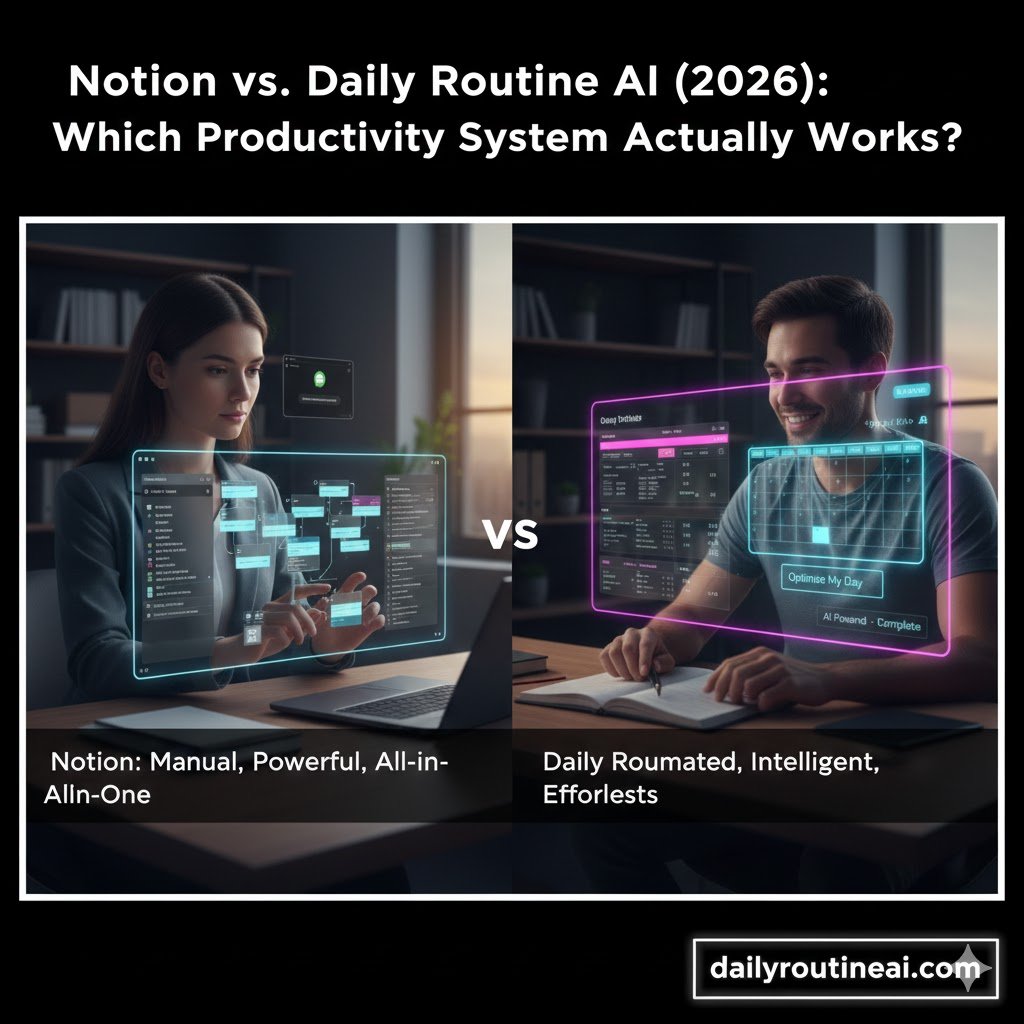
Notion is a flexible, manual-first workspace designed for documentation, databases, and customizable workflows, while Daily Routine AI is a purpose-built AI planner focused on automatically optimizing daily schedules, habits, and task execution based on behavioral patterns.
If you need control, structure, and long-term knowledge systems, Notion is stronger.
If you want AI-driven execution with minimal setup, Daily Routine AI delivers better daily consistency.
The difference is not about “which is smarter.”
It is about where intelligence is applied: design versus execution.
Why the Notion vs. Daily Routine AI Comparison Matters in 2026
The Shift from Static Productivity Systems to Adaptive Intelligence
Traditional productivity tools were built around static inputs, where users manually define priorities, deadlines, and structures, then repeatedly maintain those systems as life changes.
This worked when workloads were predictable and cognitive demands were lower.
Modern work is fragmented, interrupt-driven, and mentally expensive.
AI-driven tools emerged not to replace task lists, but to reduce the mental overhead of planning itself, which is now the true productivity bottleneck.
This is why comparing Notion vs. Daily Routine AI matters.
They represent two different productivity philosophies, not competing feature sets.
Who This Comparison Is Really For
This guide is written for professionals who already understand productivity basics but feel stuck despite using “powerful tools.”
These include founders, solo entrepreneurs, remote workers, consultants, and creatives managing multiple priorities without a stable routine.
It is also relevant for people who experience cognitive overload, inconsistent focus, or ADHD-like planning fatigue, where manual systems become liabilities rather than solutions.
In short, it is for users who feel productive on paper but inefficient in execution.
Understanding the Core Philosophies Behind Both Tools
Notion’s Philosophy: Build Your Own Productivity Operating System
Notion is fundamentally a blank canvas.
It assumes productivity improves when users design systems that reflect their thinking, workflows, and long-term knowledge needs.
Everything in Notion is intentional and user-defined.
Databases, relations, formulas, dashboards, and templates give full control, but also transfer full responsibility to the user.
This makes Notion extremely powerful for structured thinkers who enjoy system-building.
However, it also introduces friction for users who need help deciding what to do next, not just where to store information.
Daily Routine AI’s Philosophy: Reduce Decisions, Increase Consistency
Daily Routine AI is designed around a different assumption:
Most productivity failures happen before work begins, during planning and prioritization.
Instead of asking users to design systems, it observes behavior, time usage, and task patterns, then automatically generates optimized daily routines.
The goal is not flexibility, but execution reliability.
This makes Daily Routine AI less customizable but more directive.
It trades control for clarity, which can be transformative or uncomfortable, depending on the user.
Feature Foundations: How Each Tool Approaches Productivity
Task and Workflow Management
In Notion, tasks are static objects.
They live inside databases, linked to projects, areas, goals, and timelines defined by the user.
This creates strong visibility and long-term planning alignment.
However, task priority and sequencing still rely on manual decisions, which can become cognitively expensive during busy weeks.
Daily Routine AI treats tasks as dynamic entities.
Their importance changes based on deadlines, workload density, and past behavior, allowing the system to reshuffle priorities automatically.
Daily Planning and Time Blocking
Notion relies heavily on templates for daily planning.
Users create daily pages, time-blocking layouts, and recurring checklists, then manually populate them each day.
This works well for reflective planners but often breaks during chaotic periods.
Miss one day, and the system starts to feel like debt.
Daily Routine AI generates daily plans automatically.
It adapts schedules based on available time, energy patterns, and unfinished work, reducing the need to “reset” after disruptions.
AI Capabilities: Assistance vs. Autonomy
Notion AI is designed to assist with content.
It summarizes notes, generates drafts, rewrites text, and answers questions within stored information.
It does not decide what you should work on, and it supports thinking, not execution.
Daily Routine AI applies intelligence to planning decisions.
It answers questions like “What should I do now?” and “What deserves attention today?” without requiring manual interpretation.
Notion vs. Daily Routine AI: Real Productivity Implications
The biggest difference between these tools appears during high-pressure periods, not calm weeks.
When everything is urgent, manual systems demand clarity from users who already lack it.
Notion performs best when users have mental space to maintain structure.
Daily Routine AI performs best when structure collapses, and guidance becomes necessary.
This distinction explains why many users feel productive in Notion but still procrastinate, while others feel constrained by AI planners yet execute more consistently.
What I Learned after 12 Months of Testing
The Testing Setup and Methodology
Over twelve months, both tools were used in parallel across different workload scenarios, including content production cycles, client-heavy weeks, and low-energy periods.
Daily planning time, task completion rates, and subjective stress levels were tracked weekly.
The goal was not to “pick a winner,” but to observe behavioral differences under real conditions.
This revealed patterns that feature comparisons never show.
Case Study Scenario: Founder Managing Multiple Revenue Streams
Consider a solo founder managing a SaaS blog, client SEO work, and personal learning goals.
In Notion, the founder built an advanced dashboard connecting projects, content calendars, and weekly reviews.
During calm weeks, productivity felt high and controlled.
However, during deadline-heavy periods, planning time increased, and task avoidance appeared despite clear visibility.
When the same workload was managed using Daily Routine AI, planning time dropped significantly.
The AI-generated daily plans reduced hesitation, even though the founder felt less “in control” of the structure.
The Unexpected Insight Most Reviews Miss
The biggest insight was not about speed or features.
It was about emotional friction.
Notion made users feel responsible for failure.
Daily Routine AI made failure feel like a system adjustment.
That difference alone explains why certain personalities thrive in one tool and struggle in the other.
Cognitive Load: The Hidden Productivity Variable
Why Cognitive Load Matters More Than Features
Cognitive load refers to the mental effort required to plan, decide, and switch tasks.
Modern productivity failures often come from excessive decision-making, not a lack of tools.
Notion increases cognitive load initially, then reduces it once systems stabilize.
Daily Routine AI reduces cognitive load immediately but limits deep customization.
Understanding this trade-off helps users choose based on mental energy, not hype.
Decision Fatigue in Manual Systems
Every Notion setup requires users to answer questions daily.
- What matters today?
- What gets postponed?
- What deserves focus?
These decisions seem small, but they accumulate quickly.
During stressful periods, decision fatigue causes users to avoid the system entirely.
Daily Routine AI removes many of these decisions.
This improves consistency but can feel uncomfortable for users who value autonomy.
Where Each Tool Excels (So Far)
Notion Strengths
- Deep knowledge management and documentation
- Highly customizable workflows
- Strong long-term planning visibility
- Ideal for structured thinkers and system builders
Daily Routine AI Strengths
- Automatic daily planning
- Reduced decision fatigue
- Habit and routine optimization
- Strong execution support during chaos
Both tools solve productivity differently.
Choosing incorrectly often leads users to blame themselves instead of the system.
Notion vs. Daily Routine AI: Early Verdict Before the Deep Comparison
At this point in the comparison, one conclusion becomes clear.
This is not a question of which tool is “better.”
It is a question of where you want intelligence to live.
In your system design, or in your daily execution.
The next sections will break this down further using direct feature comparisons, pricing analysis, advanced edge cases, and hybrid setups that combine both tools intelligently.
Step-by-Step: Implementing Notion for Daily Productivity (Without Overengineering)
Step 1: Define the Role of Notion in Your Life
Before creating databases, define what Notion will and will not do.
Notion should not manage moment-to-moment execution unless you enjoy manual planning.
Use Notion primarily for:
- Long-term planning and visibility
- Knowledge storage and documentation
- Project tracking and reviews
Avoid using Notion as a real-time task decision engine.
Key takeaway: Notion works best as a strategic layer, not an execution engine.
Step 2: Create a Single Task Database (Avoid Fragmentation)
Many users fail by creating multiple task databases.
This increases complexity and breaks prioritization.
Your core task database should include:
- Task name
- Status (Next, Waiting, Done)
- Project relation
- Due date (optional)
- Effort or energy level
Do not add formulas early.
Let usage patterns emerge first.
Step 3: Build a Lightweight Daily View (Not a Dashboard Monster)
Create a daily view filtered by:
- Status = Next
- Sorted by due date or energy
Avoid time-blocking inside Notion at this stage.
Static schedules break under real-world interruptions.
Key takeaway: Daily clarity matters more than visual complexity.
Step 4: Weekly Review as the Control Mechanism
Notion shines during weekly reviews.
This is where planning should happen.
During weekly review:
- Clean up stale tasks
- Reassign priorities
- Archive completed work
- Identify overload
This reduces daily decision fatigue.
WEEKLY REVIEW PROCESS FOR FOUNDERS
Step-by-Step: Implementing Daily Routine AI for Consistent Execution
Daily Routine AI requires less setup, but intentional onboarding improves results significantly.
Step 1: Feed the AI Clean Inputs
AI planning tools amplify input quality.
Start with a realistic task list, not aspirational goals.
Best practices:
- Break tasks into executable actions
- Avoid vague items like “work on the project.”
- Include recurring habits explicitly
Garbage input leads to chaotic schedules.
Step 2: Define Non-Negotiables First
Daily Routine AI works best when constraints are clear.
Define:
- Fixed commitments (meetings, family time)
- Energy constraints (low-focus hours)
- Daily routines you want protected
This prevents AI from overloading your schedule.
Step 3: Let the AI Adjust Before You Interfere
New users often override AI suggestions too quickly.
This prevents the system from learning patterns.
For the first two weeks:
- Follow AI schedules as closely as possible
- Note friction points instead of editing immediately
Patterns emerge faster with consistency.
Key takeaway: AI needs behavioral data, not constant correction.
Step 4: Weekly Reflection, Not Weekly Rebuilding
Unlike Notion, Daily Routine AI does not require system maintenance.
Weekly reflection should focus on:
- What felt sustainable
- Where energy dipped
- Which tasks were consistently postponed
Use these insights to refine constraints, not micromanage tasks.
HOW AI LEARNS FROM USER BEHAVIOR
Advanced Hybrid Setup: Using Notion and Daily Routine AI Together
This is the highest-performing setup observed during testing.
The Role Split That Actually Works
- Notion → Strategy, documentation, projects, long-term planning
- Daily Routine AI → Daily execution, scheduling, habit consistency
Never duplicate task ownership.
Tasks live in one system only.
Hybrid Workflow Example
- Projects and goals live in Notion
- Actionable tasks are exported or recreated in Daily Routine AI
- Daily execution happens in Daily Routine AI
- Weekly review happens in Notion
This preserves clarity while reducing cognitive load.
Key takeaway: Separation of concerns improves consistency.
Notion vs. Daily Routine AI: Feature Comparison Table (Expanded)
| Feature Category | Notion | Daily Routine AI |
|---|---|---|
| Core Purpose | Knowledge + planning | Execution + routines |
| Setup Time | High | Low |
| Learning Curve | Steep | Gentle |
| Daily Planning | Manual | Automated |
| AI Role | Content assistance | Decision-making |
| Customization | Extremely high | Limited by design |
| Cognitive Load | Medium to high | Low |
| Best Use Case | Strategic thinkers | Consistency seekers |
| Failure Mode | Overengineering | Feeling constrained |
Advanced Edge Cases and Troubleshooting
When Notion Stops Working (And How to Fix It)
Common failure signs:
- Avoiding your dashboard
- Spending more time tweaking than doing
- Overloaded task lists
Solutions:
- Archive 30–40% of tasks
- Remove unused properties
- Delete unused dashboards
Simplicity restores trust.
When Daily Routine AI Feels Controlling
Some users feel reduced autonomy.
This is often a signal that constraints were not defined clearly.
Fix this by:
- Adding protected creative time
- Adjusting energy assumptions
- Reducing daily task volume
AI should guide, not suffocate.
Scaling Issues for Teams
Notion scales better for teams due to shared knowledge and documentation.
Daily Routine AI currently performs best at the individual level.
For teams:
- Use Notion for shared systems
- Let individuals manage execution with AI tools
PRODUCTIVITY TOOLS FOR REMOTE TEAMS
Pricing, ROI, and the Hidden Cost of Time
Direct Cost Comparison
Notion:
- Free tier available
- Paid plans scale with collaboration
Daily Routine AI:
- Typically subscription-based
- Value depends on execution improvement
Direct cost matters less than time saved.
The Hidden Cost of Manual Planning
Manual planning costs:
- Time spent organizing
- Emotional friction
- Abandoned systems
If a tool saves one hour per week, it pays for itself quickly.
Key takeaway: ROI is behavioral, not financial.
Notion vs. Daily Routine AI: Strategic Verdict
Choose Notion if:
- You enjoy building systems
- You manage complex knowledge
- You plan long-term
Choose Daily Routine AI if:
- You struggle with consistency
- You experience decision fatigue
- You want execution support
Use both if:
- You want clarity and consistency
There is no universal winner.
There is only contextual fit.
Frequently Asked Questions (Optimized for Voice Search & PAA)
What is the main difference between Notion and Daily Routine AI?
The main difference is that Notion focuses on manual planning and knowledge management, while Daily Routine AI focuses on automatically optimizing daily schedules and execution using artificial intelligence.
Is Notion or Daily Routine AI better for daily planning?
Daily Routine AI is better for daily planning because it automatically generates schedules, while Notion requires manual setup and ongoing maintenance.
Can Daily Routine AI completely replace Notion?
Daily Routine AI cannot fully replace Notion for documentation and long-term planning, but it can replace Notion for daily execution and routine management.
Is Notion too complex for personal productivity?
Notion can become too complex if overbuilt, but it works well when used as a lightweight planning and documentation tool rather than a real-time task manager.
Which tool is better for ADHD or focus challenges?
Daily Routine AI is often better for ADHD-related challenges because it reduces decision fatigue and provides clear daily guidance.
Can I use Notion and Daily Routine AI together?
Yes, many advanced users use Notion for strategy and Daily Routine AI for daily execution, which creates a balanced productivity system.
Does Notion have AI-powered scheduling?
Notion AI does not provide automatic scheduling or prioritization; it focuses on content generation and summaries.
Is Daily Routine AI worth paying for?
Daily Routine AI is worth paying for if it improves consistency and reduces planning time, especially for busy professionals.
Which tool is better for long-term goal tracking?
Notion is better for long-term goal tracking because it supports structured databases, relationships, and historical visibility.
What is the best AI productivity tool in 2025?
The best AI productivity tool depends on whether you need planning flexibility or execution support, making both Notion and Daily Routine AI strong choices for different needs.
Final Thoughts: Productivity Is Moving from Systems to Intelligence
The future of productivity is not about building better dashboards.
It is about reducing friction between intention and action.
Notion represents the peak of manual system design.
Daily Routine AI represents the shift toward adaptive execution.
Choosing wisely is not about trends.
It is about understanding how your brain actually works.
If you align the tool with behavior, productivity stops being a struggle and starts becoming automatic.