
A daily routine can help you organize your time, remember important tasks, and make room for the activities that matter to you. But creating a schedule that works in real life is not always easy.
Work runs late. Appointments change. Family responsibilities take longer than expected. Some days you have plenty of energy, while other days you need a simpler plan.
That is why a useful daily routine should offer structure without making you feel that every minute must go according to plan.
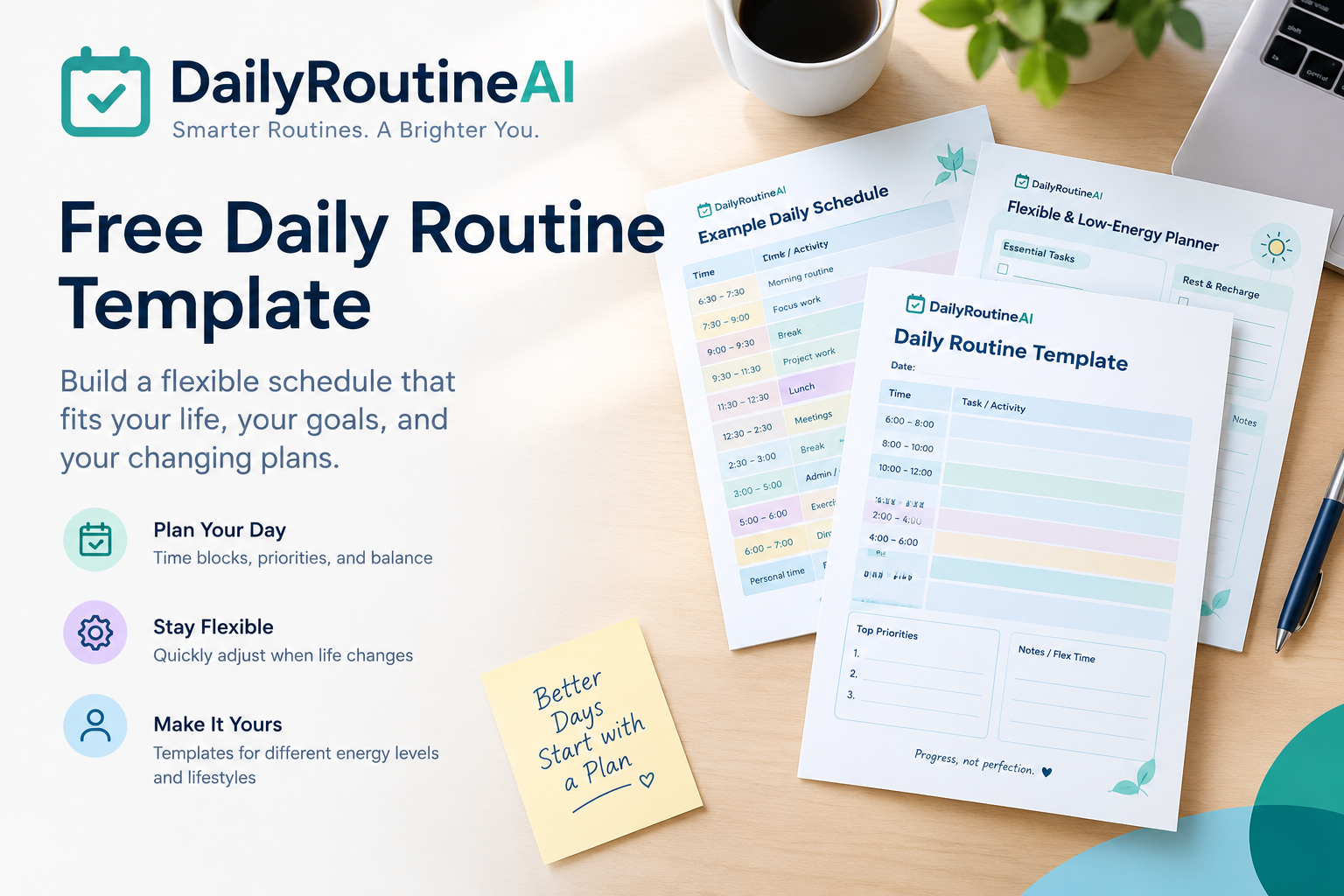
This free daily routine template gives you a practical starting point for organizing your morning, workday, personal responsibilities, and evening. You can copy it into a document, print it, or adapt it to your own schedule.
You will also find a flexible daily schedule, a simpler option for low-energy days, and an AI prompt that can help you customize your routine.
Free Daily Routine Template: Copy and Customize
Use this basic daily routine planner template to organize your day around your actual commitments.
You do not need to follow every time block or complete every task. Start with the activities that matter most and adjust the schedule as needed.
Template 1: Daily Routine Planner for Adults
Date: ____________________
Today’s main priority: ____________________
One thing I want to make time for: ____________________
My fixed commitments: ____________________
| Time | Activity | Notes |
|---|---|---|
| Morning | Wake up and get ready | |
| Morning | Breakfast and personal preparation | |
| Morning | Priority task | |
| Late morning | Work, study, or important responsibilities | |
| Midday | Lunch and a break | |
| Afternoon | Main tasks or appointments | |
| Late afternoon | Flexible work or unfinished tasks | |
| Evening | Dinner and personal time | |
| Evening | Prepare for tomorrow | |
| Night | Relax and prepare for sleep |
Three priorities for today
Something I can postpone if needed: ____________________
What I want to remember for tomorrow: ____________________
This daily schedule template is intentionally simple. You can replace the general time labels with exact hours once you know your working hours and commitments.
For example, someone who starts work at 7:00 AM may need a very different schedule from someone who works from noon until 8:00 PM.
The goal is to build a routine around your life rather than forcing your life to fit a preset timetable.
Template 2: A Flexible Daily Schedule With Time Blocks
If you prefer a more structured approach, time blocking gives specific periods to different activities.
Instead of writing a long list of tasks and hoping to finish them, you assign each activity a realistic place in your day.
Here is an illustrative schedule for someone with a conventional daytime workday.
| Time | Time block | Purpose |
|---|---|---|
| 7:00–8:00 AM | Morning preparation | Get ready, eat breakfast, and review the day |
| 8:00–8:30 AM | Daily planning | Choose priorities and check commitments |
| 8:30–10:00 AM | Focus block | Work on an important task |
| 10:00–10:30 AM | Break and transition | Step away or prepare for the next task |
| 10:30 AM–12:00 PM | Work block | Continue work, study, or other responsibilities |
| 12:00–1:00 PM | Lunch and break | Make space for food and rest |
| 1:00–2:30 PM | Afternoon focus | Work on the next priority |
| 2:30–3:00 PM | Buffer time | Handle delays or small unfinished tasks |
| 3:00–4:30 PM | Flexible work | Finish appropriate tasks or adjust priorities |
| 4:30–5:00 PM | Wrap-up | Review progress and plan tomorrow |
| Evening | Personal time | Meals, hobbies, relationships, and relaxation |
| Night | Wind-down | Follow a routine that suits your circumstances |
These times are examples, not rules. Move the blocks to fit your work hours, appointments, family responsibilities, and preferences.
How to use time blocks effectively
Start with fixed commitments. Add appointments, classes, work shifts, and other activities that have predetermined times.
Schedule your most important tasks. Give meaningful work a realistic block instead of leaving it until the end of the day.
Allow for transitions. A schedule needs room for getting ready, moving between activities, and handling small delays.
Leave some time unassigned. An open block gives you room to respond when something takes longer than expected.
Review the schedule before changing it. If a task is delayed, decide what should move rather than automatically pushing every remaining activity later.
If your schedule changes frequently, read our guide to how to time block when your schedule keeps changing.
Template 3: A Simple Daily Routine for Low-Energy Days
Some days, a full schedule may feel unrealistic. You may have less available time, more responsibilities than usual, or simply need a lighter plan.
A low-energy routine provides an optional, simplified structure. It is not a medical treatment or a recommendation about any health condition. It is simply a way to decide which tasks matter most when you want to reduce the demands on your day.
Your low-energy daily routine
One essential task: ____________________
One personal or household responsibility: ____________________
One thing that can wait: ____________________
| Part of the day | Simplified plan |
|---|---|
| Morning | Complete necessary personal preparation |
| First available block | Work on one essential task, if appropriate |
| Midday | Eat, take a break, and review what remains |
| Afternoon | Complete another necessary task only if practical |
| Evening | Prepare for tomorrow only as much as needed |
| Any time | Adjust or stop the plan when circumstances require it |
You do not have to fill every row. Leave a block blank when you have nothing suitable to schedule.
How to choose what stays on the schedule
When simplifying your day, ask yourself:
- What genuinely needs attention today?
- Which tasks have a fixed appointment or verified deadline?
- What can be moved without creating another problem?
- Can a large task be divided into a smaller, useful step?
- Would leaving the task unfinished today be a reasonable choice?
A smaller schedule is not a failed version of a larger schedule. It is an alternative plan for a different set of circumstances.
If you want more ideas for building routines around changing levels of available energy, see our AI planner for chronic fatigue guide. It offers an additional planning perspective, not medical advice or a substitute for individualized healthcare guidance.
How to Customize Your Daily Routine Template
A template is a starting point, not a timetable you must follow forever. To make it useful, adapt it to your working hours, responsibilities, and personal preferences.
1. Choose your planning window
Decide whether you want to plan your entire day, your work hours, or only a few important activities.
If a full-day schedule feels overwhelming, begin with your morning and the first important task. Expand it when the basic routine becomes useful.
2. Add fixed commitments
Write down appointments, work shifts, classes, school pickups, and other activities that have set times.
These commitments establish how much flexible time remains.
3. Estimate how long tasks will take
Give each task a realistic duration. If you are uncertain, use an estimate and review it after completing the task.
Avoid scheduling every available minute. Tasks may require preparation, follow-up, or more time than expected.
4. Select a few priorities
Choose a small number of meaningful tasks for the day.
You can include additional tasks as optional work, but distinguish them from the things that genuinely need your attention.
5. Match tasks to suitable time periods
Some activities are easier to complete when you have uninterrupted time. Others can fit into shorter gaps.
Consider your own preferences, the task requirements, and the time available rather than assuming everyone works best at the same hour.
6. Keep a flexible block
Leave room for delays, unexpected responsibilities, or unfinished work.
If nothing urgent comes up, you can use that time for a suitable task or take a break.
7. Review the routine regularly
At the end of the day, consider what worked and what did not.
Ask yourself:
- Which blocks were realistic?
- Which activities took longer than expected?
- What interrupted the schedule?
- What should change tomorrow?
You can improve a routine gradually instead of rebuilding it every day.
How to Adjust Your Schedule When Things Go Wrong
A useful daily routine template should help you recover when the day changes—not make you feel that you must squeeze every unfinished task into the remaining hours.
Imagine that your schedule includes three tasks:
- Finish an important work assignment.
- Complete a household errand.
- Organize materials for tomorrow.
An unexpected appointment takes up the time you had planned for the errand.
Instead of moving every task later, pause and review your remaining time.
Step 1: Identify what still needs to happen. Confirm the importance and timing of each unfinished task.
Step 2: Protect fixed commitments. Do not casually move appointments or assume a deadline can be extended.
Step 3: Choose the next priority. Decide which task makes the most sense to complete with the time available.
Step 4: Move flexible work. Reschedule the errand if it can reasonably wait.
Step 5: Reassess the rest of the day. If there is no realistic room for everything, choose what to defer rather than creating an overloaded schedule.
For example, you might complete the important assignment, move the errand to tomorrow, and spend five minutes organizing the materials you will need in the morning.
Your actual decision will depend on the task requirements and any deadlines involved.
The principle is straightforward: when your schedule changes, revise the plan instead of treating the original timetable as a promise that cannot be broken.
How AI Can Help Build a Personalized Daily Schedule
A general AI assistant can help organize your tasks into a proposed schedule. Dedicated planning tools may offer additional features, depending on their current capabilities.
The simplest approach is to provide your working hours, fixed commitments, task list, and scheduling preferences.
Example: Turn a task list into a daily schedule
Suppose your available time is 9:00 AM to 4:00 PM.
Your tasks include:
- Complete a priority work assignment.
- Respond to routine messages.
- Attend a fixed 1:00 PM appointment.
- Finish a household task.
- Leave some time for unexpected work.
An AI assistant could use these inputs to propose a schedule with a morning focus block, a communication period, the fixed appointment, an afternoon task, and some unassigned buffer time.
That is an illustrative example of the workflow—not a claim that every AI planner automatically supports all these functions.
Copy-and-paste AI daily planning prompt
Use this prompt with an AI assistant to create a personalized draft.
Help me create a realistic daily routine based on my actual schedule.
My available hours: [enter hours].
My fixed commitments: [list appointments and other fixed activities].
My top priorities: [list important tasks].
Other tasks I would like to complete: [list optional tasks].
My estimated task durations: [enter estimates if known].
My preferences for breaks and flexible time: [describe preferences].
Create a daily schedule that:
- Keeps fixed commitments in place.
- Gives my main priorities realistic time blocks.
- Leaves room for breaks, transitions, and unexpected changes.
- Identifies tasks that do not fit into the available time.
- Suggests which flexible tasks could move if the schedule changes.
- Separates assumptions from information I have supplied.
Present the result as a table. Do not invent appointments or deadlines. I will review and adjust the proposed schedule before using it.
You can change the prompt as your needs change. Use generic task descriptions when possible, and avoid sharing sensitive personal or work information with AI services unless you understand and accept their privacy and data-handling practices.
Explore a personalized planning workflow.
If you want to go beyond a static template, try DailyRoutineAI’s Routine Architect.
It is an option to explore for personalized daily planning. Review its current interface and capabilities to determine whether they fit your needs. Do not assume that it automatically synchronizes calendars, reschedules every task, or supports a particular workflow unless those features are confirmed.
A reusable template can remain your starting point, while a planning tool may offer another way to organize your routine.
Frequently Asked Questions
How do I make a daily schedule?
Start with fixed commitments, add a few important tasks, estimate how long each will take, and leave room for breaks and unexpected events. Review the schedule as your circumstances change.
How many tasks should I include in my daily routine?
There is no universal number. Begin with a few important priorities and add smaller tasks only when you have a realistic place for them. The right amount depends on your responsibilities, available time, and the nature of your work.
Should I print my daily routine template or use it digitally?
Choose whichever format you are most likely to use consistently. A printed template can be convenient for quick notes, while a digital document may be easier to edit and reuse. You can also combine the two.
What should I do if I miss a scheduled time block?
Review the remaining schedule and decide whether to continue the task, move it, divide it into smaller steps, or postpone it. Do not automatically push everything else later. Check any relevant deadlines and commitments before making changes.
Can I use the same daily routine every day?
You can reuse a basic framework, but it does not need to be identical every day. Fixed commitments, work shifts, personal responsibilities, and available time may change. Keep the parts that work and adjust the rest.
What is the difference between a daily routine template and a daily schedule template?
A daily routine template usually organizes recurring activities and habits. A daily schedule template often focuses more explicitly on when activities happen. The two can overlap, and either can be adapted to your preferences.
Can AI create a daily routine for me?
An AI assistant can propose a schedule based on the information you provide. Its usefulness depends on the system and the quality of your inputs. Review the output for unrealistic time estimates, missing commitments, and assumptions before following it.
Build a Routine That Works in Real Life
The best daily routine is not necessarily the most detailed one. It is a plan that helps you organize important tasks while leaving enough flexibility for real life.
Start with the free daily routine template in this guide. Add your fixed commitments, choose a few priorities, and build realistic time blocks around them.
When your schedule changes, revise it. When you have less time available, use the simpler version; also, when you discover that a particular block never works, adjust it rather than forcing yourself to repeat the same mistake.
You can reuse these templates on paper or in a digital document, and you can adapt them as your responsibilities change.
If you want to explore another way to organize a personalized routine, visit DailyRoutineAI’s Routine Architect and see whether its current features suit your planning needs.
Get Your Free Daily Routine Templates
Create a daily schedule that fits your priorities, commitments, and changing plans. These free printable templates give you a simple starting point without requiring you to plan every minute.
Choose your free template:
- Complete Daily Routine Template Pack: Download all three templates in one printable PDF.
- Blank Daily Routine Template: Organize your priorities and create a schedule that works for you.
- Example Daily Schedule: See how to arrange focus time, breaks, responsibilities, and personal time.
- Flexible and Low-Energy Day Planner: Simplify your plan when your schedule changes or you need a less demanding day.
How to use the templates: Add fixed commitments first, choose up to three priorities, and leave room for breaks and unexpected delays. If a task takes longer than planned, adjust the remaining schedule instead of trying to fit everything into the original timetable.